How to Create VCM Editor & Scanner Shortcuts on Your Desktop
This article will help you create a shortcut for both VCM Editor and Scanner to conveniently be located on your desktop.
Requirements
- Latest version of VCM Suite Beta (Download here)
Step-by-Step Instructions
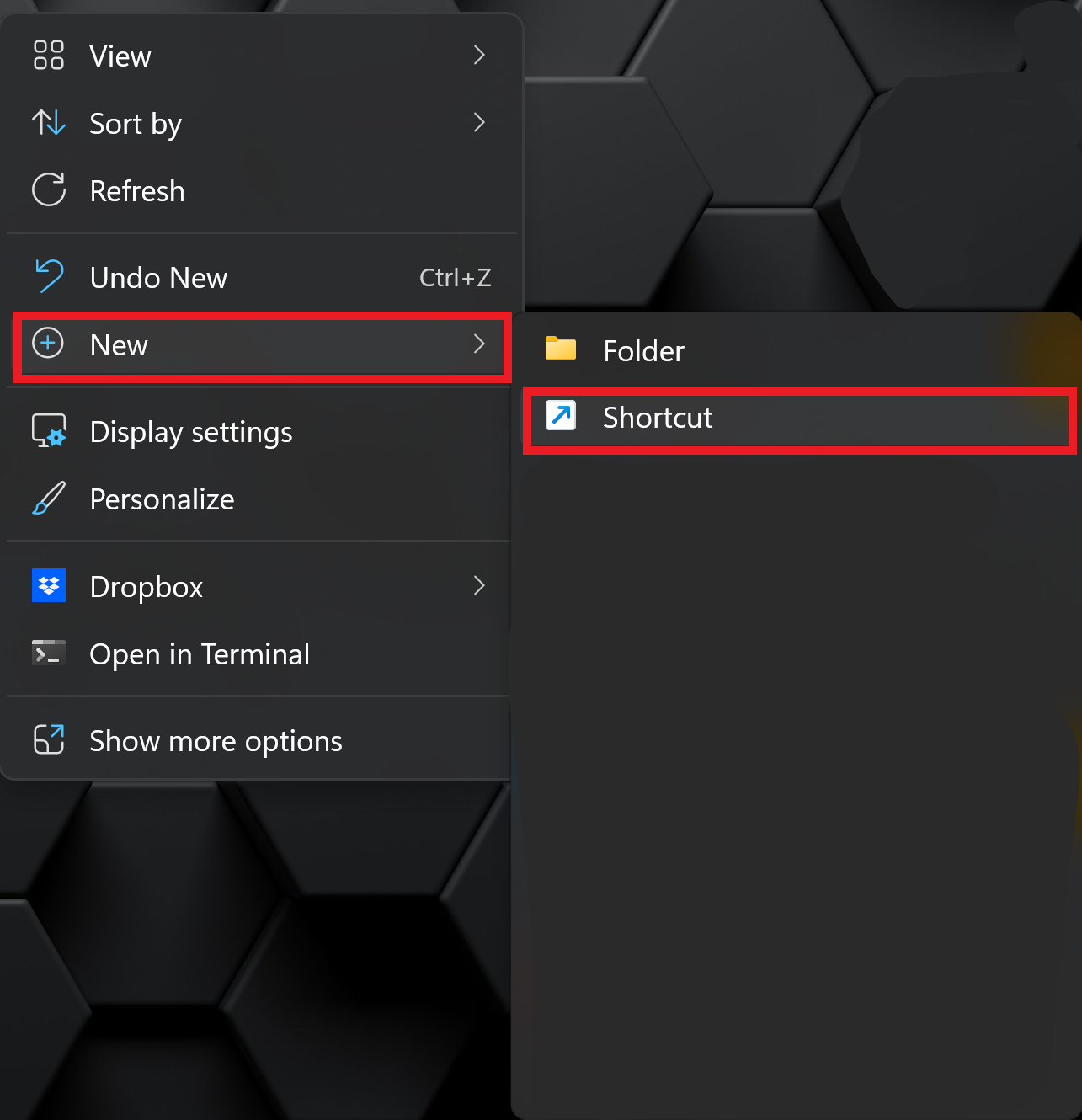
Step 1. Right-click an empty space on your desktop.
Step 2. Click New > Shortcut.
Step 3. Click Browse... and locate VCM Editor or Scanner by clicking Local Disk (C:) > Program Files > HP Tuners > VCM Suite (Beta) > VCM Editor.
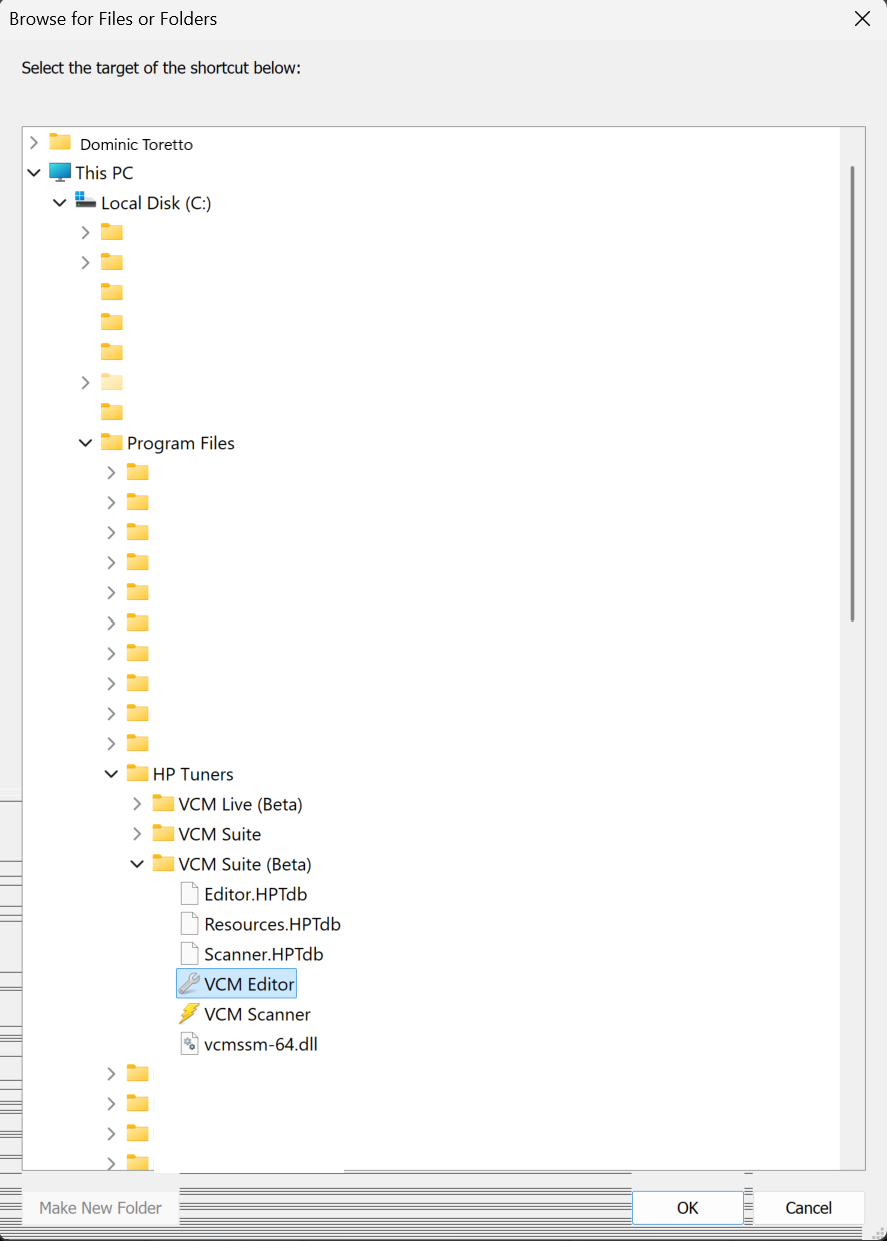
Step 4. Click Ok > Next > Finish.
Still Need Help?
If issues persist, please contact our support team through the Help Portal.
Please include the following when contacting support:
- Screenshot or log of the error
- Your device serial number
- Vehicle year, make, and model
- Summary of the issue