Contacting Customer Support🔗
Your tuner is your first line of support for all issues related to your vehicle’s tune and the TDN app.
Additional support can be found through the following resources:
HP Tuners Support Tickets🔗
If you are experiencing issues with the TDN app and wish to contact us, please create a support ticket.
Note
Be sure to also send us an Info Log whenever a support ticket is submitted. The Info Log contains vital information that will help us in resolving your problem.
HP Tuners Knowledge Base🔗
Explore our knowledge base articles.
Sending an Info Log🔗
To send an Info Log to our support staff:
-
Turn the vehicle key to the on position.
-
Connect your interface device to the vehicle.
-
Tap the TOOLS icon to open the Setup / Tools Menu.
-
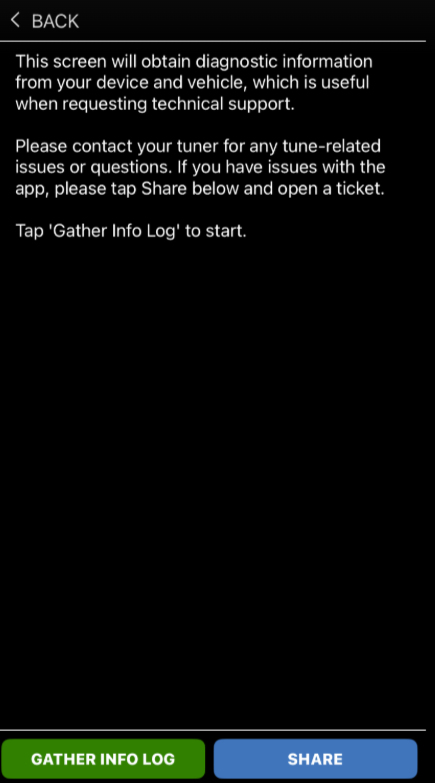
Select Gather Info Log for Tech Support. Info Log Screen appears.
-
Tap the GATHER INFO LOG button. The app will begin gathering the Info Log.
-
When the app has finished gathering the Info Log, tap SHARE to email the log to customer support
a. You can share your infolog via email by selecting Share via Email/Messaging.