Adding a Channel🔗
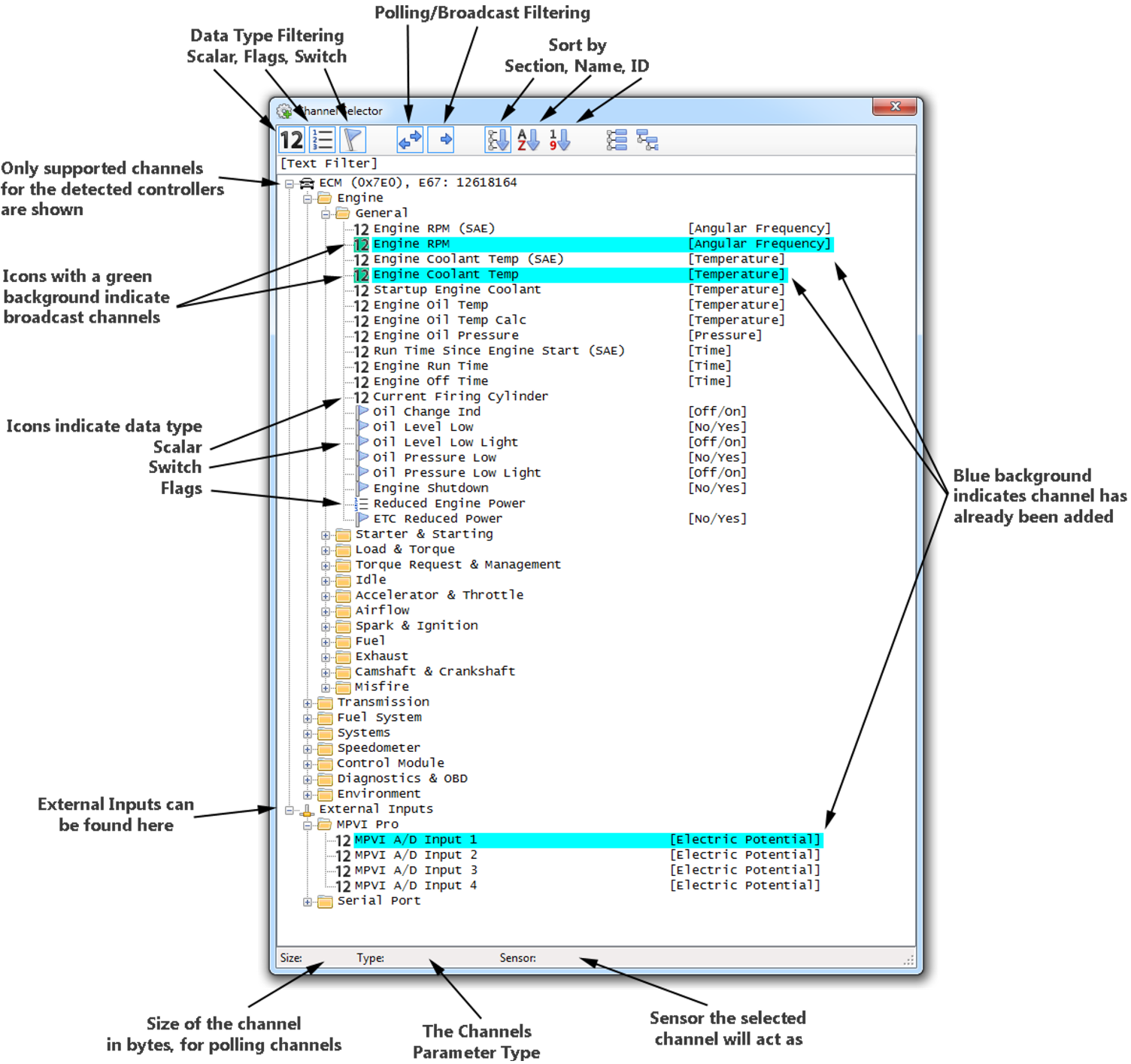
On the Channel Display, click the  icon to bring up the Channel Selector.
Note
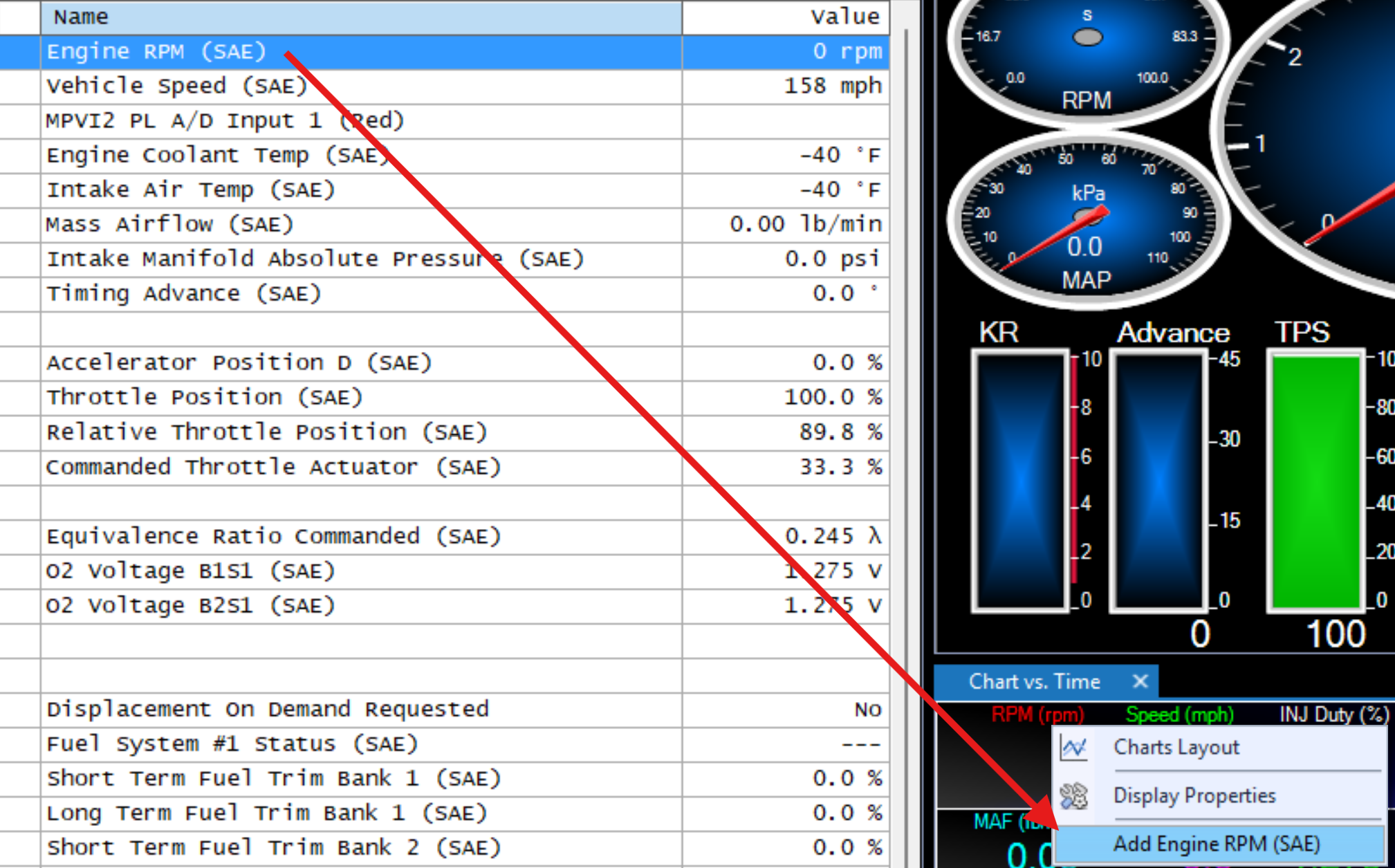
Within VCM Scanner Beta, channels can be added to an existing chart if a scanner log has already been created. To add a channel, right-click the chart and select the option to add that channel.
Broadcast Channels🔗
Broadcast Channels are channels that channels the vehicle is always sending on the network.
These parameters might be for the instrument cluster, engine/trans communications, HUD, etc..
Adding broadcast channels do not take up any additional bandwidth, and should be used vs their polling channel counterpart (if one exists).
Not all vehicles support broadcast channels.