Converting Binary Files Using Tune Translation🔗
The below steps outline how to convert binary files into .hpt files using Tune Translation.
Note
Free controllers require tokens to be associated with the account. Once tokens have been added, translations can be performed at no token cost.
-
Click the Tune Translation tab on the left hand navigation menu.
-
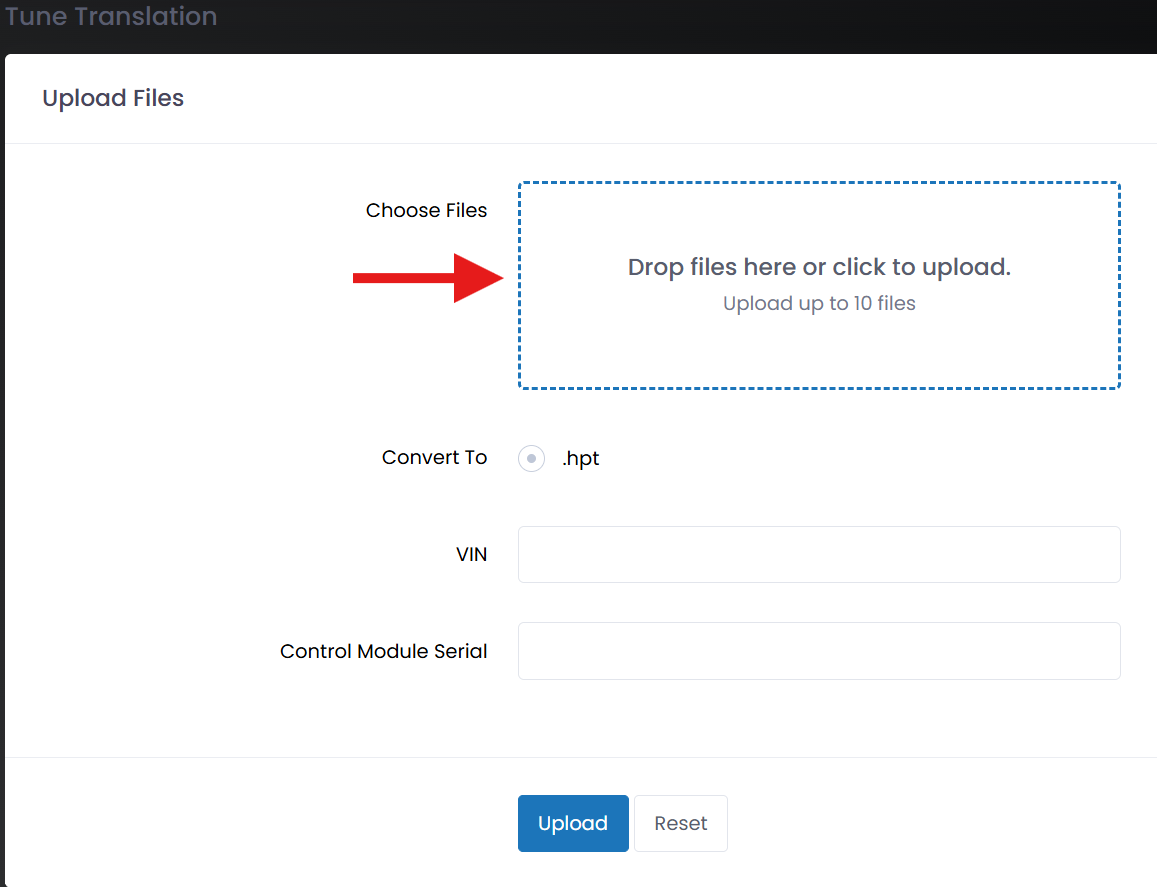
Locate the binary file in your folder structure, then drag and drop it into the Choose Files box.
-
Enter in the VIN & Control Module Serial information.
-
Click Upload.
-
Under the Translations tab you will find the recently converted .hpt file, click Download to retrieve the file.

Note
If the file failed to convert for any reason you will find a red X mark. Try to convert the file again, if the issue persists, contact our Customer Support through our support live chat help bot.